

Artwork Setup Guide
At Flyers and Leaflets, we have an experienced in-house design team ready to help. However, if you are supplying your own artwork, it is important to follow a few essential guidelines to ensure we meet your deadlines and deliver the highest possible print quality. Providing correctly prepared files from the outset helps avoid delays and ensures a smooth production process.
Our studio team works with most major design and desktop publishing software packages. If you need advice on setting up your artwork or are unsure about file requirements, simply get in touch and we will be happy to guide you through the process.
** If ordering more than one version please upload a ZIP file containing all files or a multipage PDF file **
Our studio team works with most major design and desktop publishing software packages. If you need advice on setting up your artwork or are unsure about file requirements, simply get in touch and we will be happy to guide you through the process.
** If ordering more than one version please upload a ZIP file containing all files or a multipage PDF file **

Proofing
We assume that any artwork supplied to us has been fully checked and approved for print. This means you have carefully reviewed spelling, grammar, colours, layout and overall design before submitting your files.
On this basis, additional proofs will not normally be issued. While our team will always carry out a basic file check to ensure everything is set up correctly for production, ultimate responsibility for the content remains with you. Following our artwork guidelines will help prevent delays and ensure a smooth printing process.
On this basis, additional proofs will not normally be issued. While our team will always carry out a basic file check to ensure everything is set up correctly for production, ultimate responsibility for the content remains with you. Following our artwork guidelines will help prevent delays and ensure a smooth printing process.
While Designing…
To ensure your custom printed materials are produced exactly as intended, it is important to follow a few key artwork setup guidelines before submitting your design files.
Artwork setup tips:
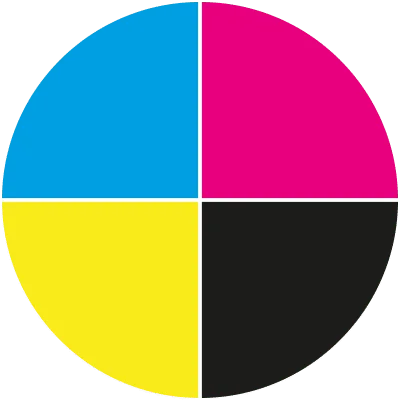
- Set your design file to CMYK colour mode, not RGB, to ensure accurate print colours
- Include a 3mm safe zone around the edge of your swing tag and keep all text and images within this area
- Supply images at 300dpi resolution to avoid blurred or pixelated printing
- Use a magenta outline to clearly indicate the finished size of your swing tag, as shown in our templates
- Allow space for the stringing hole at the top of the tag and keep important design elements clear of this area
- If printing on both sides, provide two separate designs, one for the front and one for the reverse
Flyers and Leaflets Artwork
Your artwork should be created to the exact finished size selected when placing your order. For the best print quality, we recommend supplying a print-ready PDF at 300dpi resolution.
If file size is a concern, the resolution can be reduced slightly, but artwork should not be supplied below 150dpi, as this may affect clarity and sharpness. Designs can be set up at half or quarter scale if required, provided the effective resolution remains equivalent to 300dpi at full size.
If file size is a concern, the resolution can be reduced slightly, but artwork should not be supplied below 150dpi, as this may affect clarity and sharpness. Designs can be set up at half or quarter scale if required, provided the effective resolution remains equivalent to 300dpi at full size.
General Guidance
- Review all text for spelling and grammar, and confirm you are submitting the final approved version. Reprints required due to artwork errors may incur an additional charge.
- Only include images, logos and graphics that you have permission to use, ensuring your content complies with copyright requirements.
- Artwork containing offensive, inappropriate or unsuitable content will not be accepted for printing.
- Download our free flyers and leaflets templates from the templates page to help set up your artwork correctly.